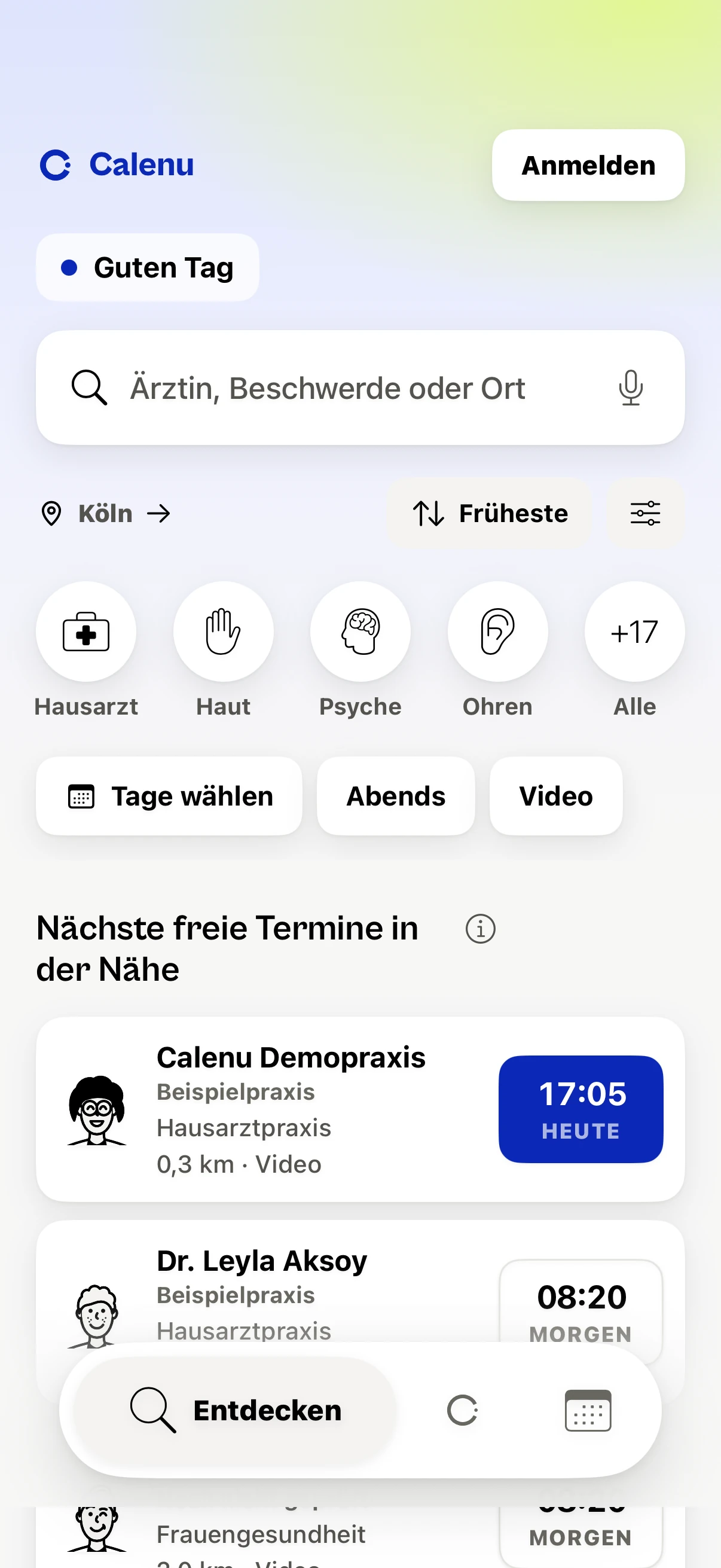
How it works
Open it.
Pick a time.
Done.
No phone call, no hold music. From the search to the appointment.
01
Say what you need
A specialty, a complaint, or the spot that hurts.
In detail
Say what you need
- Write it the way you would say it: “skin” finds Dermatology and Skin check.
- Some specialties sit in several areas: Allergology, for example, under “Skin”, “Ears, nose and throat” and “Lungs and breathing”.
- Searching needs no account.
02
See open times
The times that practices release themselves. Anything booked through Calenu disappears at once.
In detail
See open times
- Some times a practice releases only for new or only for existing patients.
- Each time says whether you are booked at once or send a request.
- 84 percent of those who book online, or could imagine doing so, name not being tied to phone hours as an advantage (Bitkom Research, 2025).
03
The practice, before you book
Its next times, how it confirms and, if the practice states it, what canceling costs.
In detail
The practice, before you book
- Under “Confirmation” the page says whether the practice confirms at once or answers each request itself.
- Under “Written by the practice” the practice tells you about itself.
- The languages spoken at the practice are listed under its name.
04
Pick a time
Enter your details once, then never again.
In detail
Pick a time
- “Suggestions” lists the next open times. “Calendar” lets you pick a day.
- For a request, the app says “Waiting for the practice” until the practice confirms.
- If you like, the confirmation also comes by email to your account’s address, with a file for your calendar.
- Reminders come only if you allow them.
05
Done
The appointment is in the app, with directions to the practice, your calendar and what to bring.
In detail
Done
- “Running late” tells the practice, with no phone call. You see when the front desk has read it.
- “Directions” gives your maps app only the practice’s address.
